A label is all you need.
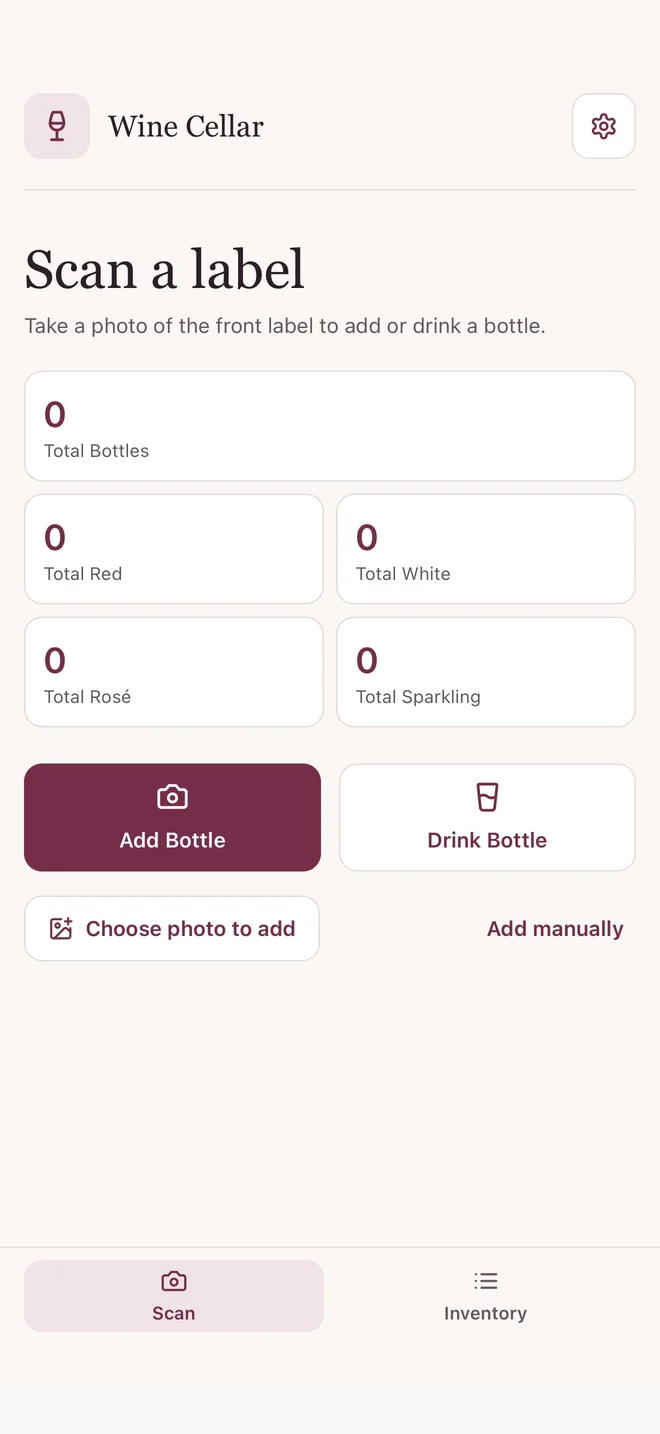
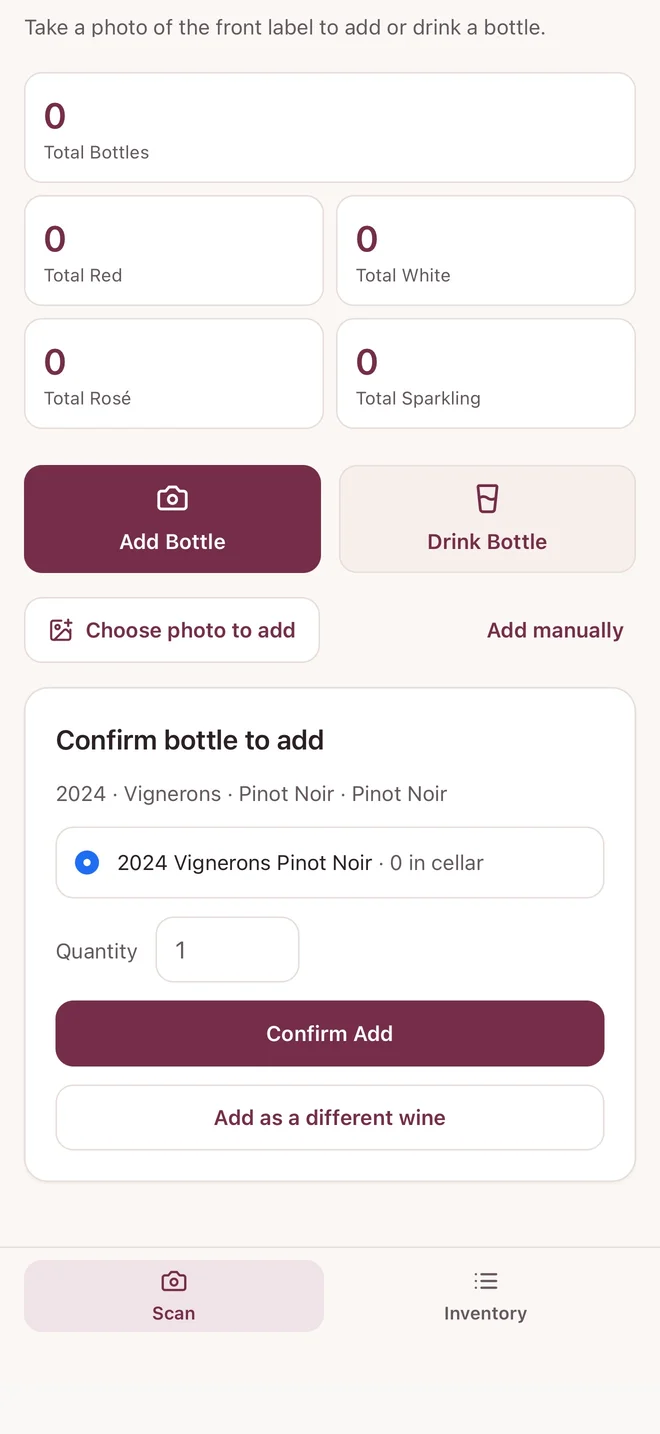
Take a photo or choose one from your library. Scans can misread wine details, including the vintage. Always check the year before saving. If a scan fails, you can add the bottle manually for free.
 Wine Cellar Made Easy
YOUR CELLAR RECORD, YOURS TO KEEP
Scan a label, keep track of your bottles, and keep your inventory in a Google Sheet you own. Share it with your household, so you know what’s on the rack before you buy or open another bottle.
For iPhone · Google account required
WINE CELLAR MADE EASY
Wine Cellar Made Easy is an iPhone and web app for keeping track of the wines you own. Add and edit bottles, record what you drink, and share the same inventory with up to two household members. Manual inventory tools are free; an optional subscription adds AI wine-label recognition.
Google sign-in is used inside the app to identify your account and connect your cellar spreadsheet. Google Drive and Sheets permissions let the app create or reconnect that spreadsheet, read and update wine quantities and bottle history, and manage sharing requested by the owner. This website and its policies can be read without signing in.
AI recognition reads the wine-label photo you choose to submit. It does not generate images or edit images of people. Read how we access, use, store and share information in our Privacy Policy, or review our Terms of Use.
FROM LABEL TO CELLAR
Take a photo or choose one from your library. Scans can misread wine details, including the vintage. Always check the year before saving. If a scan fails, you can add the bottle manually for free.
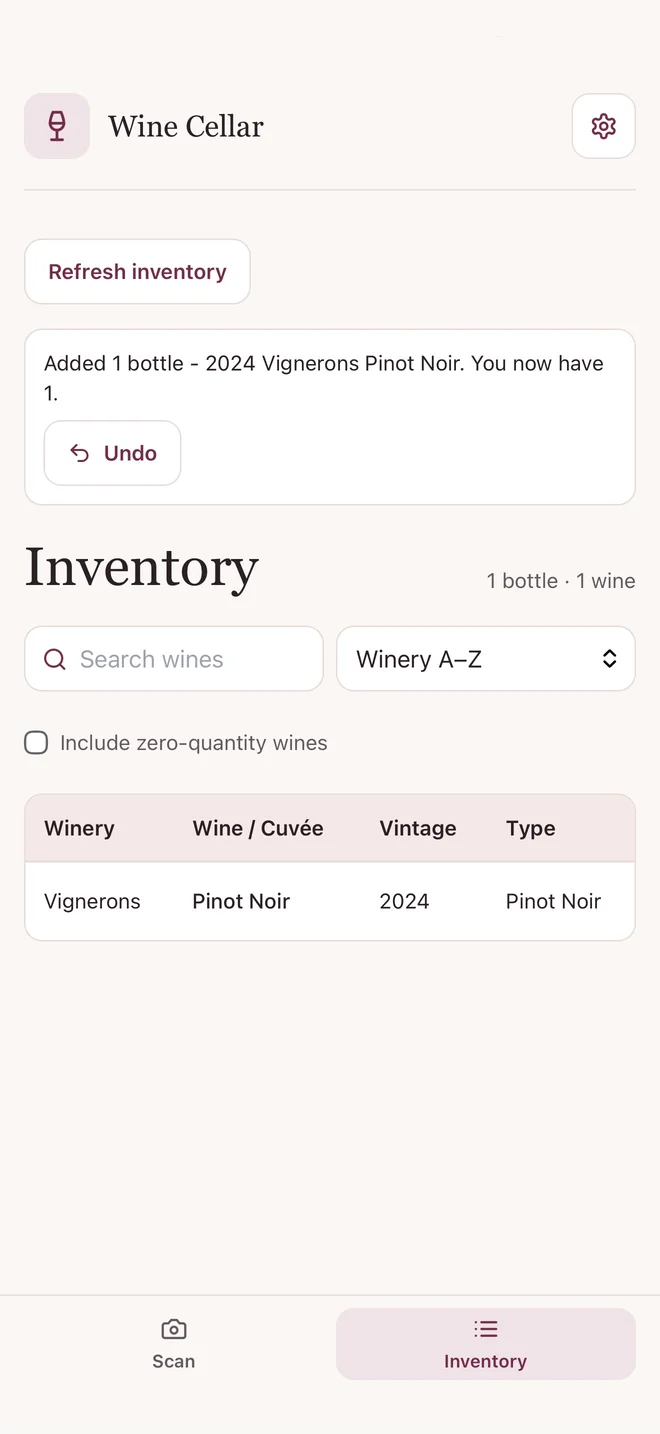
Add bottles when they arrive. Record a bottle when you drink it. If your sheet has drifted from the rack, check the count against the bottles you have. Search your inventory before buying another bottle or choosing one for guests.
Invite up to two household members to help manage the same cellar, so everyone can see what’s on hand.
A SIMPLE HOME FOR YOUR COLLECTION
Your inventory lives in a Google Sheet you own. Open it directly, import or export inventory as CSV, and keep your records even if you cancel your scanning subscription.
Selected label photos are sent to OpenAI for recognition when you enable AI scanning. You can turn photo sharing off in Settings.
PICK WHAT WORKS FOR YOUR CELLAR
Manual inventory tools are available without a subscription. Add a monthly or annual plan for AI label scanning for your household.
$0 / no subscription
Add wines by hand, import and export CSV, and keep your inventory in your own Google Sheet.
Start with manual tools$2.99 / month
Manual tools plus AI label scanning for your household.
Get the iPhone app$29.99 / year
Save about 16% vs monthly. A full year of AI label scanning, plus the manual tools.
Get the iPhone appA year of scanning costs $29.99, compared with $35.88 for 12 monthly payments — a $5.89 saving. Your sheet stays yours if you cancel. Compare the workflow and pricing with CellarTracker.
Prices shown in USD. Local pricing is displayed in the app. Subscriptions renew automatically unless canceled through your Apple Account settings. Apple handles payment.
A FEW GOOD QUESTIONS
Scans can misread wine details, including the vintage. Always check the year before saving. You can correct the details before adding the wine. If a scan fails, you can add the bottle manually for free.
Yes. Sign in with Google to create or open your cellar. The app uses a Google Sheet for your inventory.
Yes. Add wines manually and manage your inventory without an active scanning subscription.
The cellar owner can invite up to two household members using their Google email addresses. Members can help manage the shared inventory.
AI scanning access ends when your subscription entitlement expires. Your Google Sheet remains yours, and manual inventory tools remain available.
A COUNT YOU CAN KEEP CURRENT
A shared routine for adding, drinking and checking bottles.
Prepare your CSV, review the import and keep the count current.
Compare the workflow, pricing and access to your own records.

BUILT BY A WINE DRINKER
I’m Steven Hamrell, a wine drinker who needed a simple, no-frills way to keep track of my cellar — without a fight at the tasting room when it was time to buy more wine.
Wine Cellar Made Easy is built around that need: know what’s on hand, keep the count current, and keep your inventory in a Google Sheet you own.
It focuses on bottle counts and household sharing. Valuations, drinking-window predictions and rack maps are outside its scope.
Meet the person behind the app